🌐 How the Web Works
Let's start with the most obvious way of using the internet: You visit a website like
W3school
- The URL gets resolved
- A Request is sent to the server of the website
- The response of the server is parsed
- The page is rendered and displayed
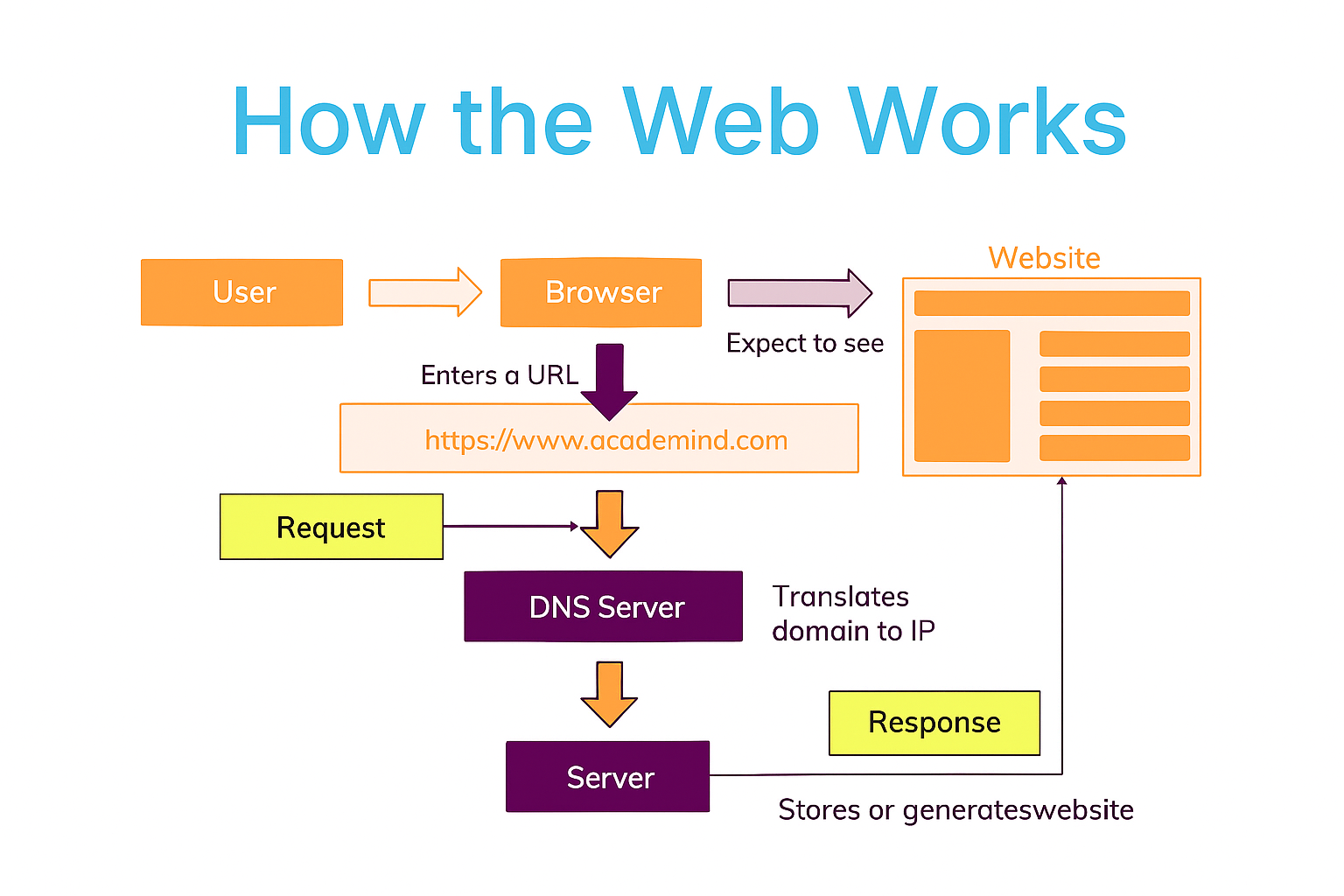
This process happens in milliseconds — that's the power of the modern web!
💻 Understanding HTML
HTML (HyperText Markup Language) structures web pages. It defines headings, text, images, and links.
👨💻 Founder of HTML
HTML was created by Tim Berners-Lee in 1991 at CERN to help scientists share documents easily online.
⚙️ Basic HTML Structure
<!DOCTYPE html>
<html>
  <head>
    <title>My First Page</title>
  </head>
  <body>
    <h1>Welcome!</h1>
    <p>This is my first webpage.</p>
    <a href="https://example.com">Visit Example</a>
  </body>
</html>
📋 HTML Lists, Tables, and Forms
1️⃣ Lists
HTML supports ordered and unordered lists.
<h3>Unordered List</h3>
<ul>
  <li>HTML</li>
  <li>CSS</li>
  <li>JavaScript</li>
</ul>

<h3>Ordered List</h3>
<ol>
  <li>Open browser</li>
  <li>Type URL</li>
  <li>View website</li>
</ol>
2️⃣ Tables
Tables organize information into rows and columns.
<table border="1">
  <tr>
    <th>Name</th>
    <th>Age</th>
    <th>Country</th>
  </tr>
  <tr>
    <td>Retkatmun</td>
    <td>22</td>
    <td>Nigeria</td>
  </tr>
</table>
3️⃣ Forms
Forms collect user input on a webpage.
<form>
  <label>Name:</label>
  <input type="text" placeholder="Enter your name"><br>

  <label>Email:</label>
  <input type="email" placeholder="Enter your email"><br>

  <label>Message:</label>
  <textarea rows="3"></textarea><br>

  <button type="submit">Send</button>
</form>